
And another update for CwCrop – initial dimensions were wrong, thanks to Martin Silenus for fixing this. And by the way updated the demo page which seemingly also had a bug…
CwCrop Update
An update for CwCrop – size calculation was a bit off in certain cases, thanks to Harm Hermsen for fixing this.
CwCrop 1.0 update
A small update, now the included demo works correctly again. Thanks Caroline for noticing!
More information here and find it of course on Mootools Forge.
CwComplete 1.0 – small update
A new release of CwComplete (MooTools auto-complete). Thanks to Dave Harris for adding the “pause” option.
Crop an image in PHP using CwCrop
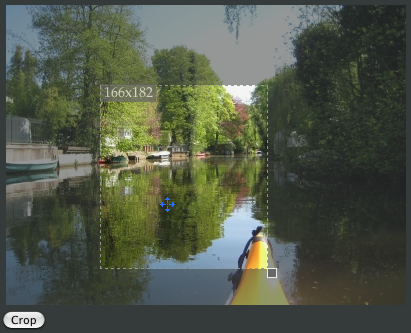
This post is about how to crop an image with CwCrop and PHP on the server. There’s no spectacular php-code to be found (just basic stuff), but as a small example this should be sufficient. Continue reading “Crop an image in PHP using CwCrop”
Coda PHP & Web Toolkit 3.0 beta 2
Next beta version for the next release (3.0). Continue reading “Coda PHP & Web Toolkit 3.0 beta 2”
Updates x3: CwComplete 0.6, CwCrop 0.95, Syslog-Viewer 1.2
CwCrop
Here some small bugfixes were applied – thanks Norbert for pointing these out.
CwComplete
Lots of new options are included which allow you to configure the selection handling and using your own HTML-Structure.
Special thanks to Werner Mollentze for helping writing this CwComplete-plugin update.
Syslog-Viewer
Now bigger fontsizes are supported.
Safari pinboard.in extension 2.2
This is a classic bugfix release.. Continue reading “Safari pinboard.in extension 2.2”