4.2
JSHint 2.3.0 included
Removed some legacy options from JSHint configuration
Use any JSHint option, there’s a text field in which you can enter JSHint config options. (separated by comma).
A list of valid options can be found here: jshint.com/docs/options/
Rewritten JSHint-Wrapper (because JSHint works a bit differently now)
Removed some legacy JSHint options
4.1
Bugfix for a very improbable exception
Code update (mostly internal stuff)
Dialog layout improved when resized
4.0
CSSTidy updated to the current development release. This should now correctly format CSS inside @media-tags.
Integrated HTML 5 compatible tidy for validation and reformatting
3.9
New: Validate JS on save (Coda 2 only)
New: Separate CSS minification included
Fix PHP validation on save with selection
Laxcomma setting for JSHINT
JSMinify updated
3.8
Lots of bugfixes
Compatibility with other plugins improved
JSMinify updated
3.7
New: Minify on Publish (Coda 2 only)
New: Modify file extension list for PHP validate on save
Check if Growl is present, includes Growl 1.2 and Growl 1.3 notifier
CSSTidy: New option Remove last ; – control if the last ; in a block is removed or not
CSSTidy: Workaround for wrong @import behavior
JSHint: Doesn’t report useless strict warnings anymore
JSHint: Removed unused –safe option
JSHint: Added link to option documentation in the preferences
CSSTidy/JSMinify: CR/LF handling improved
PHPTidy won’t try to format php files with syntax errors
Rewritten launching of php based tools, more robust now
Refactoring PHP error display
Performance/memory improvements
Preferences layout improved, added Google+ link
3.6
“Unified” version for Coda 1 and Coda 2
Checks automatically if accidentally more than one plugin is installed
New function: PHP validate on save (Coda 2 only)
Javascript JSHint: Updated to a new version
Javascript Tidy (JSBeautify): Update to latest version, no file size limit anymore, CR/LF handling correctly now
CSS Tidy: Update to latest version, CR/LF handling correctly now
Performance improvements (loading time, js functions)
New version notification now shows the new version number…
Plugin path is now correct for Coda 1 and Coda 2
3.5 beta
Coda 2 compatible version
New preference setting for JSHint: Use smart tabs
“Go to line” (for PHP errors) now uses the API function in Coda 2, so it scrolls to the error location
Automatic update should now work correctly with Coda 1 and Coda 2
3.4
Remove proCSSor because the API service has been cancelled
3.3
Small bugfix for Prefs window layout
Internal structure improvement
Fix (improbable) memory leak
3.2
Validate PHP syntax before performing PHPtidy
Minify CSS
Updated CSSTidy
Preferences window improved (links to twitter/fb/donate)
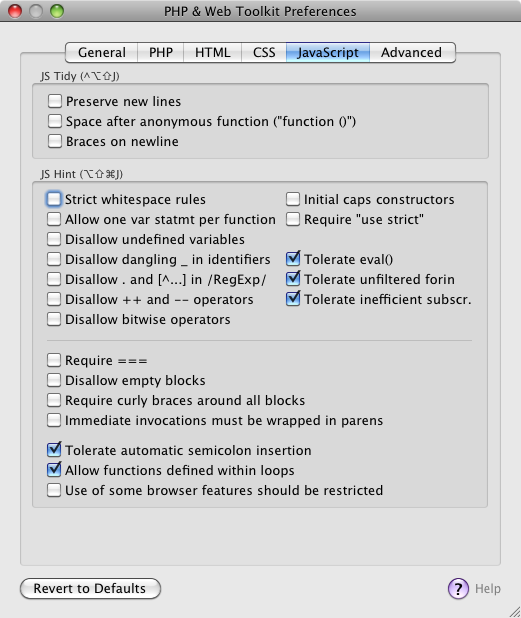
JS Hint: Many more options
JS Hint: Respect line endings, whitespace warnings now correct
JS Tidy: Respect line endings
3.1
JS Tidy now also configurable
proCSSor bugfix
Respect Tabs/Spaces where available
Automatic Update (finally..!!)
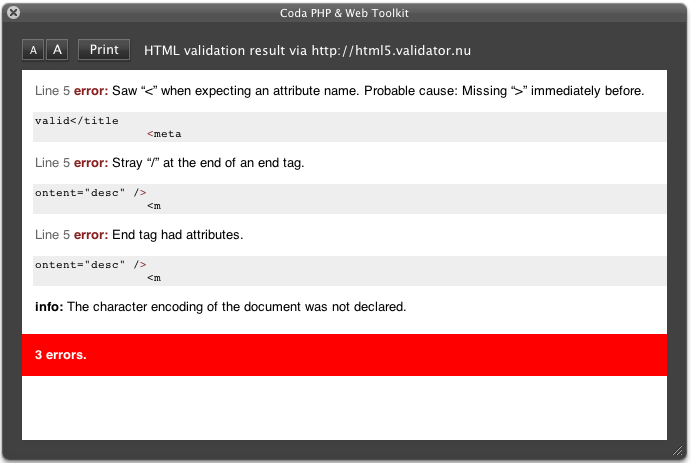
Improved validation results
JS Hint updated
PHPTidy improvements
JS Hint: Remove (quite useless) “unsafe character” warning
Result window looks cooler now
Modularized the code
Modularized the code
Prefs window improved
3.0
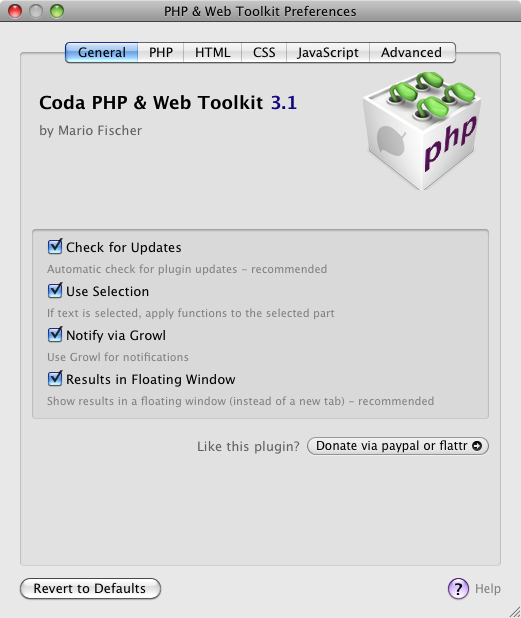
Use selection
Growl (and growl-like) notifications
Results as floating window
More preferences for PHPTidy
HTML online validation: Included three validator settings
Drop curl, use cocoa instead
Use JSC call instead of shell script
JShint preferences
Improved preferences layout
Bugfixes, lots of
Nearly complete code rewrite
2.7
Show an short message after updating (only once)
Updated CSSTidy to 1.3.1
HTML Validate output improved
HTML5 support
aka workaround for tidy
JSLint replace by JSHint (upgrade, kind of)
Preference for PHPTidy: Fix statement brackets
2.6
Preferences for PHPTidy: New lines, Whitespaces, Comma spacing
Bugfix for umlaut conversion with JSTidy
2.5
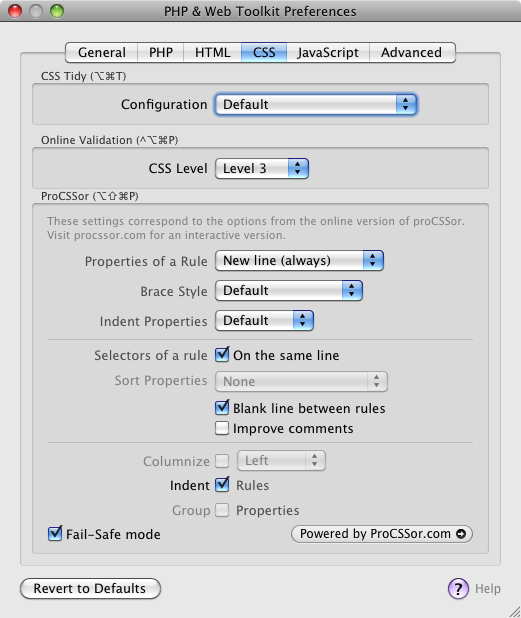
Set CSS Level for validation (2, 2.1, 3)
Configure PHPTidy braces placement
2.4
Warning message (incompatible plugin) improved
Before accessing proCSSor, check if incompatible plugin present
2.3
TidyCSS update (current SVN)
W3C online response much more readable
Check for incompatible SBJsonParser
Error messages improved
Updatecheck circumvents cache now
2.2
New: Beep only for PHP validation
Preferences window now remembers the open tab
Preferences window revamped (again..)
Shortcuts also shown in the preferences
HTML Tidy version in about window now modified if “use internal” is changed
Improved some tooltips in the preferences
2.1
New: procssor.com configurable
New: JSBeautifier included
About window now part of the preferences
Preferences window revamped
Code clean-up
Shortcut for JS Beautifier
2.0
New: Encoding automatically selected
New: Custom HTML tidy configuration
New: Included a more recent HTML tidy binary
New: procssor.com online service included (experimental)
Goto line now works correctly with different line endings
Line endings now respected in HTML tidy, CSS tidy and PHP tidy
HTML tidy version shown in the about page
Preferences window new layout
JS lint now correctly handles backslashes
Error messages improved
Message sheet layout improved
1.9
New: JS Minify
HTML Validation report window now can be close without the annoying “Save Changes”-question
“Reveal in Finder” bugfix at preferences page
Donation button in the about window (Hint: click it :)
1.81
CSS tidy now handles CSS3 values starting with a dash (-)
Keyboard shortcuts for CSS tidy and Preferences
Some code clean-up
1.8
Javascript Lint (JSLint) now included
Update check now daily instead of each time Coda starts
New CSS tidy configuration: Sort attributes
1.7
HTML tidy now configurable (in the Preferences) !
Preferences are automatically saved
Bugfix when saving Coda Prefs
1.62
Automatic update check now in the background (asynchronous)
CSS tidy now configurable (in the Preferences) !
Less intrusive error-messages on connection failures
1.6
User Preferences
Automatic check for updates
CSS tidy integrated
Structured Menu (aka Submenus)
Using the HTML-tidy version delivered with OSX (PowerPC compatible)
Redesigned the error- and “validation okay”-sheets XCode-like
More encodings: ASCII, UTF-16, Windows CP-1252
All functions use the current buffer contents now
Error messages not explicitely state their origin
Updated phptidy to current version 2.10
1.4
W3C-Validation online for HTML-files
W3C-Validation online for CSS-files
Help button (on the about sheet) now opens this page
1.31
W3C-Validation service, 1st try
1.3
Improved Sheet display
Bugfixes
1.13
Validate HTML (via tidy)
Jump to error line – if PHP validation finds an error
Check for Updates (in the about-box)
File encoding can be chosen
Nice sheets, no more of those ugly alert-boxes
Menu items are only available if they should be
Lots of code cleanup
More useful “About”-dialogue, link to the plugin homepage
0.96
“About..”-dialog
Improved exception handling
Bugfixes
0.9
New features: HTML tidy, Strip PHP, PHP tidy
Included HTML Tidy
Included phptidy
Bugfixes
0.85
Bugfixes, dialogs updated
0.8
Initial release


Hello,
I use your plugin since years and i love it.
Yesterday i upgrade to Monterey (MacOs 12.2.1) and then an error appeared when i save php file :
“Sorry, we have an exception.
NSInvalidArgumentException
Reason: launch path not accessible”
Then :
“PHP returned nothing
Make sure the file has no errors, try using UTF-8 encoding.”
Of course i check encoding type and confirm to use UTF-8 encoding.
That error appears on every php file when i save them.
Do you know a way to fix this error ?
Best regards
I was running into the same errors, and for me, I needed to do two things.
1. Update PHP using homebrew and
2. Update the path to “/usr/local/bin/php”
Updating PHP required me to update Homebrew using the following procedure taken from https://github.com/httpie/httpie/issues/645#issuecomment-456902997
“Just Run below command
1)brew doctor
2)sudo chown -R $(whoami) $(brew –prefix)/*
3)sudo install -d -o $(whoami) -g admin /usr/local/Frameworks
”
I hope this helps!
Hi,
I’ve recently upgraded to a new M1 MacBook Pro. I’m now getting an error when validating php files..
Sorry, we have an exception
NSInvalidArgumentException
Reason:
launch path not accessible
Is there anything I can do to fix this?
Hi,
the plugin is discontinued but maybe the php binary is not set up correctly in the settings? It should be something like “/usr/bin/php”.
I was running into the same errors, and for me, I needed to do two things. 1. Update PHP using homebrew and 2. Update the path to “/usr/local/bin/php”
Updating PHP required me to update Homebrew using the following procedure taken from https://github.com/httpie/httpie/issues/645#issuecomment-456902997
“Just Run below command
1)brew doctor
2)sudo chown -R $(whoami) $(brew –prefix)/*
3)sudo install -d -o $(whoami) -g admin /usr/local/Frameworks
”
I hope this helps someone else!
Just wondering;
Is it possible to hook in to the validator in coda?
And the error message is barely readable when dark mode is activated. The white color behind the letters is not a good choice. Can we edit this?
Hello! Do you plan on building a version of this PHP/Toolkit plugin for Panic’s new Nova editor?
Hi,
no I’m currently not planning on developing a new version, sorry.
I’m trying to tidy up HTML with your plugin but I’m getting this error:
(I have updated the plugin, running Coda 2.75)
Any ideas?
Sorry, we have an exception.
NSInvalidArgumentException
Reason:
*** -[NSConcreteTask terminate]: task not launched
Hi –
since I don’t continue the development anymore, it’s a bit difficult to help here. But you can turn on debug mode in the preferences, open Console on your Mac, try again and have a look at the console output. There should be a log message showing which command the plugin was trying to execute.
Is there an option to not add an extra linebreak after a comment (//comment or /*comment*/) in the JS tidy?
Great plugin to find PHP syntax errors – you saved me hours!
Any plan support PHP 7+ and dark mode?
Sorry, the plugin isn’t in active development anymore. The source code is available anyway.
Tried to run tidy CSS on a .less file, and boy that messed it up :) Would be nice to be able to auto-tab those files as well, but realize that’s a bit different.
Sorry, the plugin isn’t in active development anymore.
Hi there, thanks for this usefu plugin!
Hi. My name is Alexander. I use your cool plugin for coda php and web toolkit.
But i have small problem with css. After tidy css move quotes (screenshot https://www.dropbox.com/s/1xiv8zotnwu41uf/Screen%20Shot%202018-12-26%20at%2013.27.57.png?dl=0)
Maybe do you know how to fix it?
Thanks!
Any plan to support PHP 7+ ?
Hi –
PHP 7+ is supported. The plugin uses the PHP binary installed with OS X on your Mac (/usr/bin/php).
If you use an older OS X version (where PHP 7.1 is not included yet) you can install a newer PHP version (via Homebrew for example).
Then simply the the path to the new php binary in the settings.
Ahhh gotcha. That explains it then.
I was wondering why PHP validation was throwing an error when I used something like:
$username = $_GET[‘user’] ?? ‘nobody’;
But I found that on my work computer, I have PHP 5.6 installed.
On my personal computer, I have PHP 7 and everything is working great.
Thanks for the speedy response. And also, big thanks for the development of this Coda plugin. I can say without doubt that I use it more than any other, and it honestly fills the gap in my decision of what IDE to use. Phenomenal!
Hi,
I’m using semanticUI which uses an i TAG to display predefined icons.
Tidy always removes them with the warning “Warning: trimming empty “.
I tried adding this i to the various new-xx-tags parts, but to no avail.
Help and FAQ do not help or answer Q. Neither does my google-fu.
anyone? ;-)
thanks
simon
Hi,
I’m on Coda 2.6.9 / Mac OS 10.13.1 Hight Sierra and unable to use “Tidy javascript” command.
I confirm my file is encoded in UTF-8.
I have following errors :
Make sure the file has no errors, try using UTF-8 encoding.
Fatal error: Uncaught Error: Function name must be a string in /Users/fabrice/Library/Application Support/Coda 2/Plug-ins/PhpPlugin.codaplugin/Contents/Resources/jsbeautifier.php:193
Stack trace:
#0 /Users/fabrice/Library/Application Support/Coda 2/Plug-ins/PhpPlugin.codaplugin/Contents/Resources/jsbeautifier.php(80): JSBeautifier->beautify(‘(function(){var…’, Object(BeautifierOptions))
#1 /Users/fabrice/Library/Application Support/Coda 2/Plug-ins/PhpPlugin.codaplugin/Contents/Resources/jsbeautifier.php(1202): js_beautify(‘(function(){var…’, Object(BeautifierOptions))
#2 {main}
thrown in /Users/fabrice/Library/Application Support/Coda 2/Plug-ins/PhpPlugin.codaplugin/Contents/Resources/jsbeautifier.php on line 193
Got same problem here!
I fixed by myself.
1 – Open /Users/[YOUR USER NAME]/Library/Application Support/Coda 2/Plug-ins/PhpPlugin.codaplugin/Contents/Resources/jsbeautifier.php
2 – At line 162, modify:
$handlers = array…
by
$this->$handlers… (just make $handlers part of the class)
3 – At line 193 replace the wrong function call:
$this->$handlers[$token_type]($token_text);
by the correctly call:
call_user_func(array($this, $this->$handlers[$token_type]), $token_text);
4 – Save the file.
Cool, thanks a lot for finding out! This has probably to do with the update to PHP 7 that comes with the OSX update.
Thanks Bruno for taking the time to fix the code :) Works like a charm again!! * * * * *
Here’s a copy of the modified working jsbeautifier.php file.
https://drive.google.com/open?id=1e9W9NZ63Uxn3Pk9G0pNNSUZzv2M6lx5f
Download it and replace your
/Users/[YOUR USER NAME]/Library/Application Support/Coda 2/Plugins/PhpPlugin.codaplugin/Contents/Resources/jsbeautifier.php
Thanks a lot!
I updated the downloads, so the fixed jsbeautifier.php is now included.
Same Problem for CSSMinify:
CSSMinify exception received.
Make sure the file has no errors, try using UTF-8 encoding.
Any ideas?
Thanks Bruno, it’s perfect for me.
-Coda 2 (2.6.7)
-High Sierra
Make sure the file has no errors, try using UTF-8 encoding.
Fatal error: Uncaught Error: Function name must be a string in /Users/carlo/Library/Application Support/Coda 2/Plug-ins/PhpPlugin.codaplugin/Contents/Resources/jsbeautifier.php:193
Stack trace:
#0 /Users/carlo/Library/Application Support/Coda 2/Plug-ins/PhpPlugin.codaplugin/Contents/Resources/jsbeautifier.php(80): JSBeautifier->beautify(‘$(document).rea…’, Object(BeautifierOptions))
#1 /Users/carlo/Library/Application Support/Coda 2/Plug-ins/PhpPlugin.codaplugin/Contents/Resources/jsbeautifier.php(1202): js_beautify(‘\t$(document).re…’, Object(BeautifierOptions))
#2 {main}
thrown in /Users/carlo/Library/Application Support/Coda 2/Plug-ins/PhpPlugin.codaplugin/Contents/Resources/jsbeautifier.php on line 193
Hello Carlo,
thanks for your answer, updating Coda to 2.6.7 has fixed the problem.
Thanks again.
Hello, I’m unable to run “Tidy Javascript” on macOS 10.13 High Sierra, I get this error:
JSTidy exception received.
Make sure the file has no errors, try using UTF-8 encoding.
Fatal error: Uncaught Error: Function name must be a string in /Users/matteo/Library/Application Support/Coda 2/Plug-ins/PhpPlugin.codaplugin/Contents/Resources/jsbeautifier.php:193
Stack trace:
#0 /Users/matteo/Library/Application Support/Coda 2/Plug-ins/PhpPlugin.codaplugin/Contents/Resources/jsbeautifier.php(80): JSBeautifier->beautify(‘if(lang===”EN”)…’, Object(BeautifierOptions))
#1 /Users/matteo/Library/Application Support/Coda 2/Plug-ins/PhpPlugin.codaplugin/Contents/Resources/jsbeautifier.php(1202): js_beautify(‘if(lang===”EN”)…’, Object(BeautifierOptions))
#2 {main}
thrown in /Users/matteo/Library/Application Support/Coda 2/Plug-ins/PhpPlugin.codaplugin/Contents/Resources/jsbeautifier.php on line 193
From the log I see this:
Sep 26 16:13:03 MacBook-Pro Coda 2[5759]: [Coda PHP Toolkit] Executing at path /usr/bin/php with (
“-n”,
“-f”,
“/Users/matteo/Library/Application Support/Coda 2/Plug-ins/PhpPlugin.codaplugin/Contents/Resources/jsbeautifier.php”,
“–“,
“indent_char_tab,”,
LF
)
Everything was working correctly yesterday before jumping on 10.13…. any hint?
Thanks!
See the comment by Matthew on Nov 28, 2017. Downloading and replacing a file in the plugin does the trick