4.2
JSHint 2.3.0 included
Removed some legacy options from JSHint configuration
Use any JSHint option, there’s a text field in which you can enter JSHint config options. (separated by comma).
A list of valid options can be found here: jshint.com/docs/options/
Rewritten JSHint-Wrapper (because JSHint works a bit differently now)
Removed some legacy JSHint options
4.1
Bugfix for a very improbable exception
Code update (mostly internal stuff)
Dialog layout improved when resized
4.0
CSSTidy updated to the current development release. This should now correctly format CSS inside @media-tags.
Integrated HTML 5 compatible tidy for validation and reformatting
3.9
New: Validate JS on save (Coda 2 only)
New: Separate CSS minification included
Fix PHP validation on save with selection
Laxcomma setting for JSHINT
JSMinify updated
3.8
Lots of bugfixes
Compatibility with other plugins improved
JSMinify updated
3.7
New: Minify on Publish (Coda 2 only)
New: Modify file extension list for PHP validate on save
Check if Growl is present, includes Growl 1.2 and Growl 1.3 notifier
CSSTidy: New option Remove last ; – control if the last ; in a block is removed or not
CSSTidy: Workaround for wrong @import behavior
JSHint: Doesn’t report useless strict warnings anymore
JSHint: Removed unused –safe option
JSHint: Added link to option documentation in the preferences
CSSTidy/JSMinify: CR/LF handling improved
PHPTidy won’t try to format php files with syntax errors
Rewritten launching of php based tools, more robust now
Refactoring PHP error display
Performance/memory improvements
Preferences layout improved, added Google+ link
3.6
“Unified” version for Coda 1 and Coda 2
Checks automatically if accidentally more than one plugin is installed
New function: PHP validate on save (Coda 2 only)
Javascript JSHint: Updated to a new version
Javascript Tidy (JSBeautify): Update to latest version, no file size limit anymore, CR/LF handling correctly now
CSS Tidy: Update to latest version, CR/LF handling correctly now
Performance improvements (loading time, js functions)
New version notification now shows the new version number…
Plugin path is now correct for Coda 1 and Coda 2
3.5 beta
Coda 2 compatible version
New preference setting for JSHint: Use smart tabs
“Go to line” (for PHP errors) now uses the API function in Coda 2, so it scrolls to the error location
Automatic update should now work correctly with Coda 1 and Coda 2
3.4
Remove proCSSor because the API service has been cancelled
3.3
Small bugfix for Prefs window layout
Internal structure improvement
Fix (improbable) memory leak
3.2
Validate PHP syntax before performing PHPtidy
Minify CSS
Updated CSSTidy
Preferences window improved (links to twitter/fb/donate)
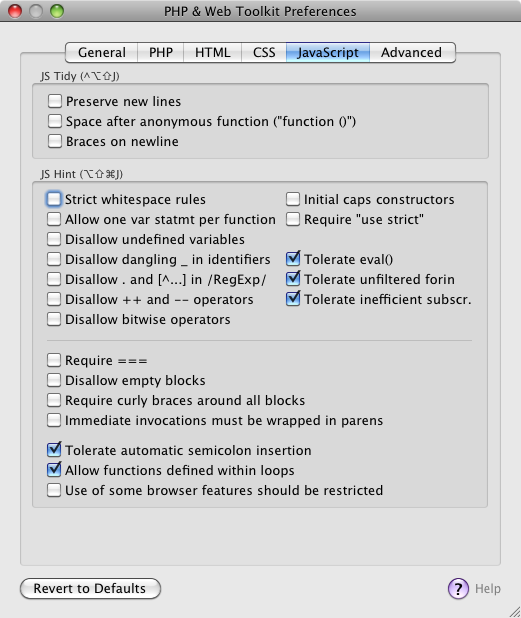
JS Hint: Many more options
JS Hint: Respect line endings, whitespace warnings now correct
JS Tidy: Respect line endings
3.1
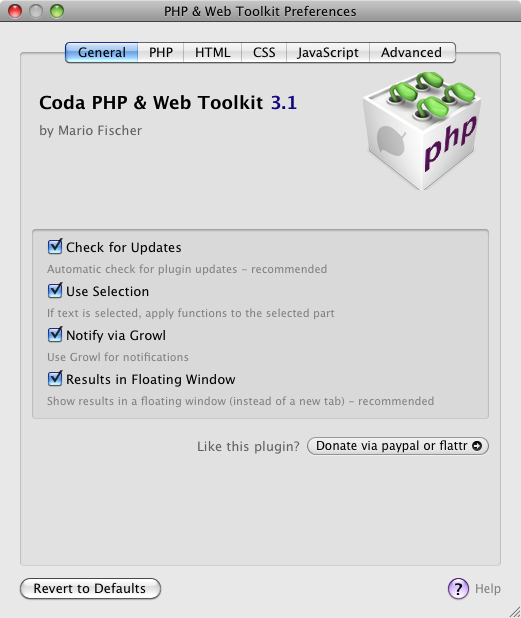
JS Tidy now also configurable
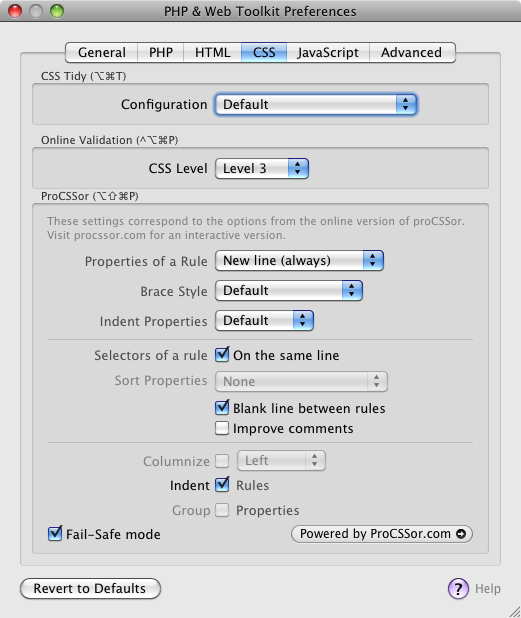
proCSSor bugfix
Respect Tabs/Spaces where available
Automatic Update (finally..!!)
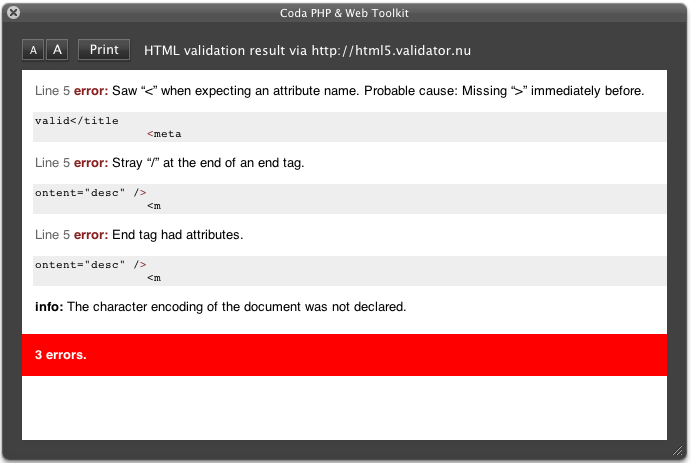
Improved validation results
JS Hint updated
PHPTidy improvements
JS Hint: Remove (quite useless) “unsafe character” warning
Result window looks cooler now
Modularized the code
Modularized the code
Prefs window improved
3.0
Use selection
Growl (and growl-like) notifications
Results as floating window
More preferences for PHPTidy
HTML online validation: Included three validator settings
Drop curl, use cocoa instead
Use JSC call instead of shell script
JShint preferences
Improved preferences layout
Bugfixes, lots of
Nearly complete code rewrite
2.7
Show an short message after updating (only once)
Updated CSSTidy to 1.3.1
HTML Validate output improved
HTML5 support
aka workaround for tidy
JSLint replace by JSHint (upgrade, kind of)
Preference for PHPTidy: Fix statement brackets
2.6
Preferences for PHPTidy: New lines, Whitespaces, Comma spacing
Bugfix for umlaut conversion with JSTidy
2.5
Set CSS Level for validation (2, 2.1, 3)
Configure PHPTidy braces placement
2.4
Warning message (incompatible plugin) improved
Before accessing proCSSor, check if incompatible plugin present
2.3
TidyCSS update (current SVN)
W3C online response much more readable
Check for incompatible SBJsonParser
Error messages improved
Updatecheck circumvents cache now
2.2
New: Beep only for PHP validation
Preferences window now remembers the open tab
Preferences window revamped (again..)
Shortcuts also shown in the preferences
HTML Tidy version in about window now modified if “use internal” is changed
Improved some tooltips in the preferences
2.1
New: procssor.com configurable
New: JSBeautifier included
About window now part of the preferences
Preferences window revamped
Code clean-up
Shortcut for JS Beautifier
2.0
New: Encoding automatically selected
New: Custom HTML tidy configuration
New: Included a more recent HTML tidy binary
New: procssor.com online service included (experimental)
Goto line now works correctly with different line endings
Line endings now respected in HTML tidy, CSS tidy and PHP tidy
HTML tidy version shown in the about page
Preferences window new layout
JS lint now correctly handles backslashes
Error messages improved
Message sheet layout improved
1.9
New: JS Minify
HTML Validation report window now can be close without the annoying “Save Changes”-question
“Reveal in Finder” bugfix at preferences page
Donation button in the about window (Hint: click it :)
1.81
CSS tidy now handles CSS3 values starting with a dash (-)
Keyboard shortcuts for CSS tidy and Preferences
Some code clean-up
1.8
Javascript Lint (JSLint) now included
Update check now daily instead of each time Coda starts
New CSS tidy configuration: Sort attributes
1.7
HTML tidy now configurable (in the Preferences) !
Preferences are automatically saved
Bugfix when saving Coda Prefs
1.62
Automatic update check now in the background (asynchronous)
CSS tidy now configurable (in the Preferences) !
Less intrusive error-messages on connection failures
1.6
User Preferences
Automatic check for updates
CSS tidy integrated
Structured Menu (aka Submenus)
Using the HTML-tidy version delivered with OSX (PowerPC compatible)
Redesigned the error- and “validation okay”-sheets XCode-like
More encodings: ASCII, UTF-16, Windows CP-1252
All functions use the current buffer contents now
Error messages not explicitely state their origin
Updated phptidy to current version 2.10
1.4
W3C-Validation online for HTML-files
W3C-Validation online for CSS-files
Help button (on the about sheet) now opens this page
1.31
W3C-Validation service, 1st try
1.3
Improved Sheet display
Bugfixes
1.13
Validate HTML (via tidy)
Jump to error line – if PHP validation finds an error
Check for Updates (in the about-box)
File encoding can be chosen
Nice sheets, no more of those ugly alert-boxes
Menu items are only available if they should be
Lots of code cleanup
More useful “About”-dialogue, link to the plugin homepage
0.96
“About..”-dialog
Improved exception handling
Bugfixes
0.9
New features: HTML tidy, Strip PHP, PHP tidy
Included HTML Tidy
Included phptidy
Bugfixes
0.85
Bugfixes, dialogs updated
0.8
Initial release


Just wanted to let you know, I always use this plugin to my great satifaction!
Nice to hear – thanks!
Hey,
Really love the plugin – thank you! Is it possible for it to automatically scroll to the highlighted line when an error is detected?
Cheers,
Alex
For the PHP error check this is already present: Click “Go to Line”
Clicking the Go To Line just highlights the line, it doesn’t scroll the window to the line. Is that possible?
Cheers
Unfortunately not with the current Coda-API.
I already did ask the Panic team about an API update, but didn’t receive a response, I suppose the work on Coda 2.0 is more in the focus currently.
In the between time: Press cursor left and right to scroll to the focused line.
The file is now broken. The plug-in “PhpPlugin-2” could not be read. Please verify the plug-in’s format or try re-downloading the plug-in from the author’s website.
Great a few weeks ago when it worked! Thanks.
Hi –
is now part of the FAQ: http://www.chipwreck.de/blog/software/coda-php/help/#help4.
The “.codaplugin”-extension is linked to the “Coda Plug-in Creator” – so if you doubleclick a plugin “Coda Plug-in Creator” tries to open it, which goes wrong since the Plugin was developed with Xcode and not the Plugin Creator…
To install the plugin in Coda do the following:
Right-click on the “PhpPlugin.codaplugin”-file and choose “Open with…” and select “Coda” (instead of the default entry “Coda Plug-In Creator”).
(You can also use the information window CMD+I to change the association of .codaplugin-files permanently)
Ah. Cool. Great thanks for the great information and great plug in! If we start using this a lot donation will be on the way.
That’s what I call incentive :) Next update is also on the way.
I’ve just attempted to tidy some horrific coding and your plugin generally does a fine job but I’m getting a few strange patterns:
Foreach:
foreach
($variable as $foo => $bah)
{
//Code;
}
If:
if ($something)
{
//Code
} else
{ //Code; }
I personally prefer curly brackets under the function but some of this formatting is just a little strange.
What my previous comment doesn’t accurately show is the strange indenting on some of the above code samples.
Right :) Could you just send me a screenshot via email? mario at (the name of this domain) – thx!
Just discovered this wonderful plugin I was curious if there’re any plans to support tidying only selected regions rather than the entire doc? Thanks! :D
Hi –
which tidy do you mean.. HTML, PHP?Is now included in version 3.0..
Hi,
thanks for this super great plugin!
I just have found a mini-bug:
When I have an umlaut in my comments of an UTF-8 encoded .js, and I run “Tidy JS”, all the umlauts are replaced by strange characters.
Or do I have to change any preference?
Thanks again & peace,
kolt
Yes this seems like a small bug in the TidyJS handling of UTF-8..
I’ll have a look.Fixed in the latest version.thx!
Fantastic extension, and thank you.
People obviosuly code (and layout) their code (PHP in my case) in slightly different ways.
Currently the format of the tidy-er is roughtly:
function name()
{
code
code
if {
code
code
}
code
}
is there any config to change it to a vertical brackets format?
e.g.
function name()
{
code
code
if
{
code
code
}
}
Many Thanks
Hi –
in the next version I’m going to add a configuration setting for php tidy. I’ll have a look what settings are possible.
Options would be great especially for bracket placement.
For example, Matt’s practice above would get him hazed big time if he was writing code that way as one of my developers. I would go so far as to delete the class and say go write it again. The open bracket belongs on the method line not bellow it like so many freaking people think makes their code more readable. :-)
Aahah, but yea we all do have our own quirks. This is a wonderful addition to Coda for PHP support, and fantastic work brining to us to make our lives just a little bit better everyday. Thank you.
To prevent religious brace style wars, you can set the preferred formatting now in the preferences :)
Ahaa… You are awesome! I love your plugin, and actually just used it about 15 minutes ago, followed immediately by my own script to fix the brackets.
It’s funny how we all turn our little coding habits into religion sometimes. Probably not a good thing.
Thx!
Well, most developers I know are also “religious” about this or that (I suppose it started with vi vs. emacs).
For example this looks horribly wrong to me:
if(condition)...
It has to be:
if (condition)...
But of course, that’s the next discussion :)
Love your plugin in everyway.
I just have a question that, maybe you already know the answer to that I cannot find anywhere else.
In your FAQ it outlines that to preserve php inside an attribute you need to use single quotes:
a href=”
This is often hard for me, alot of the code I work on has php mixed amungst standar text as an attribute like:
a href = “/url//var3//”
I cannot seem to fins a way for it leave these alone, or preserve them. Is there anyway to just totally ignore the contents of HTML attributes.?
I have been through the Options several times, and tried everything to no avail.
Any help would be awesome.. Thanks!
Ok, you want to use something like this
<a href=”<?=$a.’hello’ ?>”>test
and have problems when using HTMLtidy, right?
For me the most easy solution would be using usual PHP tags, because this snippet works fine with HTMLtidy..:
<a href=”<?php echo $a.’hello’ ?>”>test
..or I am understanding someting wrong..?
Sorry your comment box stripped out my code, let me try encoding it.
I am trying to have this type of link be left alone.
href=”/category/<?=$this_category; ?>/sort.php?attr=<?=$attr; ?>”
Essentially I have urls
href = “/location/Var1/var2/”
Where there are Var1, and var2 would be replaced with individual php tags, and values.
is there anyway, to just ignore everything between the quotes (“”) for an attribute
I see…
Well currently it’s only possible by rewriting your code like this:
href=”<php echo ‘/category/’ ><php echo $this_category’ >…
(By using php echo instead of short tags *and* by starting the HREF directly with a php-tag)
This is still an open issue in HTML-tidy, see for example here:
http://sourceforge.net/tracker/?func=detail&aid=3097596&group_id=27659&atid=390966
If you know of another HTML tidy/reformat tool (or if I find one), which can be easily integrated, I could of course add another tool, but currently I’m not aware of something similar.
Im using 2.4 an when I use the tidy CSS it removed all the semi-colons from the last rule. Is this intended?
Yes, that’s intended – because the last semicolon is not strictly necessary, and CSStidy is more geared towards compression.
But you can use proCSSor, which offers more configuration possibilties.
And I’ll have a look at the CSStidy configuration for
the nextan upcoming update.Hi – the current update fixes this problem (included a new version of CSS Tidy).
hi there! i’m on version 2.3 and the plugin just notified me of an update and asked to download the latest version. i clicked yes and it DLed and i double-clicked to install, but the version number in the plugin’s about dialog didn’t change. this isn’t the first time this has happened to me with this plugin.
otherwise, i love this plugin and have been using it since i installed coda at work. thanks for a great product!
-alex r
Hi –
thanks for the compliments :)
I assume this has to do with the website caching.. You can always download the current plugin with the button above.
One question though: Are there maybe accidentally two versions of the plugin in ~/Library/Application Support/Coda/Plug-ins/?
Just reporting a bug that I get the warning about the LessCSS plugin but do not and never have used it.
Thanks,
Doug
Hi –
okay, so it seems another plugin has the same problem. Could you try and move the plugins you’re using aside? (And tell me which one makes problem).
Thanks!
It was Chris Alvares’ Coda Mojo WebOS plugin (http://chrisalvares.com/blog/?p=129). Chris’ plugin hasn’t been updated for over a year. If I remove just his plugin the error goes away. If I put his plugin back and remove yours the error goes away.
Thanks,
Doug
Thanks a lot!
Yes, the warning message comes from my plugin, so the behaviour is correct.
You can of course use both plugins, but the drawback will be the error message (I’ll update this soon, so it doesn’t appear on every start) – and you can’t use the proCSSor.com webservice.
Thanks Mario, and hey, it’s the holidays take your time!
Here in Germany the holidays start next week :)
First, I really appricate this plug-in (it’s the only one I use, but it’s awesome)
Two bugs:
First, CSS Tidy is breaking my web fonts:
It’s taking this:
@font-face {
font-family: ‘KomikaTextRegular’;
src: url(‘KOMTXT__-webfont.eot’);
src: local(‘☺’), url(‘KOMTXT__-webfont.woff’) format(‘woff’), url(‘KOMTXT__-webfont.ttf’) format(‘truetype’), url(‘KOMTXT__-webfont.svg#webfontg8E6Mgnc’) format(‘svg’);
font-weight: normal;
font-style: normal;
}
and removing all the apostrophes, turning it into:
@font-face {
font-family: KomikaTextRegular;
src: url(KOMTXT__-webfont.eot);
src: local(☺), url(KOMTXT__-webfont.woff) format(woff), url(KOMTXT__-webfont.ttf) format(truetype), url(KOMTXT__-webfont.svg#webfontg8E6Mgnc) format(svg);
font-weight: 400;
font-style: normal;
}
Second, “Format with proCSSor” is failing and throwing this error:
(NSInvalidArgumentException) -[SBJsonParser objectWithString:error:]: unrecognized selector sent to instance 0xcb0d40
Hi –
okay, could you tell me the configuration you used (for CSStidy and proCSSor)?
And please set “Debug mode” on (in the plugin preferences), try proCSSor again and open the Console. There should be a longer entry starting with:
Coda PHP Toolkit: PHP Toolkit: Curl to http://procssor.com/api…
This entry would also be helpful.
Thx!
And: you could try out what the online version of procssor.com does with your CSS – using the same settings. Does it work there?
The configuration was all defaults, and I confirmed again hitting reset to defaults on all the tabs. (Default/New Line Always/Default/Default/check on same line/ check fail-safe mode)
The online proCSSor leaves the single aphostrophes alone
This is from the CSSTidy:
12/12/10 4:23:24 AM Coda[4837] Coda PHP Toolkit: Executing at path /Users/Jon/Library/Application Support/Coda/Plug-ins/PhpPlugin.codaplugin/Contents/Resources/csstidy.php with (
“-t”,
default,
“-l”,
LF
)
This is from proCSSor:
12/12/10 4:23:51 AM Coda[4837] Coda PHP Toolkit: PHP Toolkit: Curl to http://procssor.com/api with: (
“-s”,
“-S”,
“-F”,
“source=file”,
“-F”,
“safe=1”,
“-F”,
“property_formatting=newline”,
“-F”,
“braces=default”,
“-F”,
“indent_size=default”,
“-F”,
“selectors_on_same_line=1”,
“-F”,
“docblock=0”,
“-F”,
“css=@-;type=text/css”,
“http://procssor.com/api”
)
12/12/10 4:23:51 AM Coda[4837] Coda PHP Toolkit: Executing at path /usr/bin/curl with (
“-s”,
“-S”,
“-F”,
“source=file”,
“-F”,
“safe=1”,
“-F”,
“property_formatting=newline”,
“-F”,
“braces=default”,
“-F”,
“indent_size=default”,
“-F”,
“selectors_on_same_line=1”,
“-F”,
“docblock=0”,
“-F”,
“css=@-;type=text/css”,
“http://procssor.com/api”
)
Okay –
could you please mail me the CSS-file? mario -at- chipwreck -dot- de.
And:
– Is it UTF-8 or another encoding?
– Which line-endings are being used?
I’ll have a look the next days.
mario
Okay, problem solved: The LessCSS-Plugin is incompatible.
So if anyone has the same problem when using proCSSor: Uninstall the LessCSS.codaplugin.
According to Bryan, the developer, the plugin is not supported anymore – but you can use the much better standalone application Less.app:
http://incident57.com/less/
(An update of CSSTidy will follow the next days).
This is a great plug in. One question, with the HTML tidy, is there a way to remove HTML comments (and perhaps even the option of preserving IE conditional comments)?
Yes, you can use this line
hide-comments: yes
in the custom configuration. But I’m afraid it removes IE conditional comments.
I work at a company with a more rigorous coding standard than this PHP validator. Is there a way I can modify this validation. We have ruled about spacing before and after variables, line spacing rules, etc. If I could modify this to perform validation that would be spectacular.
The plugin currently uses phptidy and I plan to either make this also configurable (which might take some time) or to look if there are other open source php reformatters.
But for now you can change the configuration manually:
– Go to (your home folder)/Library/Application Support/Coda/Plug-ins
– Right click the PhpPlugin-file, choose “Show Contents”
– Navigate to “Contents/Resources”
There you find the “phptidy-coda.php”-file, where you can change the configuration (at the beginning of the file). Since you’re a php developer that should be easy.
Please note that your changes are being overwritten if you update the plugin, so keep a backup..
Hope that helps – if not, tell me..
mario
Hi Mario,
Thanks again for this great plugin. I was wondering, is it possible to edit the JS minify function so as to do its job but without breaking lines? Right now (beta 2.0) it minifies okay but there’s a sense that it could do even better if there were no line breaks at all. Or maybe, this wouldn’t make a difference anyway… You tell me.
Cheers.
Reno
Hi –
that’s the desired behaviour, here the reason (from Douglas Crockford himself):
http://www.crockford.com/javascript/jsmin.html
Hi,
Thanks for a great plugin.
I have a little feature request:
It is possible to have a configuration so that the JSlint results open in a new split instead of a new tab? Would make de-linting a lot simpler.
Cheers
Would be a very good idea – but unfortunately that’s not possible with the current Coda API.
I’m going to send a feature request to Panic, so in a future version of Coda this might be possible.
Hey guys,
I absolutely love the plugin. I just discovered JSLint and ran into a little problem while using it with your plugin.
This is the line that gets me into trouble.
var string = “”;
var html = string.replace(/]+>/gi, ”);
JSLint thinks it’s just fine but when I run it from the plugin it seems to actually escape the / and JSLint shows this:
Problem at line 2 character 32: Expected an identifier and instead saw ‘^’.
var html = string.replace(/]+>/gi, ”);
Hi!
it seems the regex is not correctly displayed in the comment section here.
If I try for example this:
var html = string.replace(/[a-z]+>/, '');it works.
So could you send me the line via email or describe it in words?
thx.
Thanks Mario.
So the problem comes from looking for an actual forward slash, which is escaped in the regular exprssion.
Let me try one more time with spaces in between lets see if this works.
// jquery strip tags function uses simple regexes
var string = “<hello></hello>”;
var html = string.replace( / < \ / ? [ ^ > ] + > / g i, ”);
Okay, now I can reproduce it.
It seems to be a problem with passing the editor content to the javascript interpreter (and then to the jslint)..
I’ll have a look!
Okeee – I think I’ve fixed the problem.
I updated the current 2.0 beta version (download above), there it should work.
(The OS X javascript processor needs some weird ways around bash shell to do what I want and in that process the backslash went lost.)
Hi Mario,
Thanks for the beta update. Overall, very good. However, I’d like to report something that is probably not a bug but just the way the tidy CSS works. I have on my site a table that sorts and filters itself through a set of inline-block buttons. I got the js and the CSS from the web. It has a few hacks that allow the whole thing to look good and the same in all browsers. I have tried other ways (more standard CSS) but nothing works like the hacks. Here (this is for a ul li)
display:-moz-inline-stack;
display:inline-block;
zoom:1;
*display:inline;
(etc.)
What the CSS tidy does with this is :
zoom:1;
display: inline;
(etc.)
And of course that changes everything. The pages look pretty awful.Don’t ask me what ‘zoom:1’ means or how it works, I couldn’t tell. All I know is without any of these lines the page just looks awful in one or the other browser.
Questions: is this normal behaviour of the CSS tidy? Fortunately, I don’t have a lot of these hacks (except the inevitable -moz ones). Is there a way to tell the tidy NOT to remove anything (including the * in front of display:inline (but only /* and */)?
Thanks again for your good work.
Reno.
Yes – that’s not a bug, but expected behaviour:
CSStidy has a setting called “preserve css“:
You can find more information here: csstidy.sourceforge.net/hacks.php.
Interestingly the last days I started to think about integrating another CSS reformatting method – via a webservice (procssor). But first at all I’d like to make sure that 2.0 works stable..:)
(BTW: “zoom:1” and the line starting with * are hacks, needed for Internet Explorer).
Hi again Mario,
Still really enjoying your plugin and looking forward to the update (in regard to tidy especially).
One quick question: Tidying CSS is great but doesn’t remove comments (/*comment*/). I’ve tried High Compression and Highest Compression. Is there a reason for this, and if it is possible what change do I need to make to the code to have it simply remove unnecessary comments?
Thanks.
Reno
Hi –
yes, you’re right. The comments were currently only removed if you select “default, sorted” (no idea why :)
I updated the 2.0beta, so “highest compression” now removes them also.
Thanks for the hint,
mario
Hi,
I really like your plugin. But there’s something I don’t seem to be able to work around: the HTML Tidy keeps removing the character entities in spite of editing the config files (i.e., preserve-entities: yes, etc.). What am I missing? Or can you give show me how to edit the config file? Right now I have to use another plugin to restore my entities each time I Tidy my pages. Thanks for your help, and thanks for your plugin.
Reno
Hi –
the plugin uses the tidy-binary which is included in OS X (/usr/bin/tidy). Unfortunately this version is a bit older (2006) – “preserve-entities” was added in the next version…
You can use a newer version of tidy (from MacPorts for example) – you then only need to change the path in PHP Toolkit -> Preferences.
(The entry “preserve-entities” in the configuration file is therefore a bit confusing – since it is ignored in the tidy version which is used by default.)
Does this help?
Hi Mario,
Thanks for your reply. Unfortunately, I’m not sure what I ‘m supposed to do at this point in regards to Tidy. The MacPorts website and its content is a bit over my head. All I want is the tidy to keep my entities just as they are (instead of decoding them). Will you be able to fix this in a future version of the plugin? If so, I think I can manage until then. Otherwise I would certainly appreciate a simpler solution. Thanks a lot for your help. – Reno
Yes of course, MacPorts is only useful if you are experienced at the command line.. And it’s not so easy to setup, especially if you just need only one program.
So, I’ll try to include a new version of tidy in the next release of my plugin (probably in the next 2 or 3 weeks or so).
But – there’s an (easier) workaorund of course, have a look here ».
That’s really great Mario. I’ll have a look at the Tidy link for now and I’ll be checking out for your next update from time to time. Thanks a lot for your help and clearly your sound knowledge of this field. Bye for now.
Hello, just tried to open this plugin on Coda and im gettin an error : The document “PhpPlugin.codaplugin could not be opened” The plug-in “PhpPlugin” could not be read. please verify the plug-in’s format or try re-downloading…
I have latest version of snow leopard and lates version of coda (1.6.12)
i tried downloading the plugin from this website a couple of times. maybe is corrupt??
just calculated the md5 hash for the file and its:
MD5 (php-codaplugin-1.9.zip) = afdde7f6b23841d9ecc98760247c1060
Thanks in advance for your help! can’t wait to use this plugin!!
Hi –
I suppose it’s the same problem marlyse had some weeks age:
The “.codaplugin”-extension is linked to the “Coda Plug-in Creator” – so if you doubleclick a plugin “Coda Plug-in Creator” tries to open it, which goes wrong since the Plugin was developed with Xcode and not the Plugin Creator…
To install the plugin in Coda do the following:
– Right-click on the “PhpPlugin.codaplugin”-file and choose “Open with…” and select “Coda” (instead of the default entry “Coda Plug-In Creator”).
(You can also use the information window CMD+I to change the association of .codaplugin-files permanently).
Does this help?
Yes! that was the solution! i thought that needed to be opened with Coda, my bad hehe
Many Thanks! i will play with the plugin right now :)
Hey! I love the new features, especially the HTML tidy. My only suggestion would be to include options for alternate line endings – I use a Mac, and get red paragraph symbols at the end of every line after tidying – very annoying!
Keep up the good work!
HTML Tidy assumes Unix line endings (by default on OS X), so as a quick workaround you can convert your page(s) to Unix line endings:
[Text -> Line Endings -> Convert to Unix Line Endings]But of course a configuration option is the correct solution, is on the todo-list now :)
Thx!
Wonderful plugin, cmd+shift+V has become a standard “clawhand”.
One thing though, tidy PHP causes my function opening curly bracket to go onto a new line. I know it’s personal preference but I like to keep it on the same line.
e.g. function my_func() {
Possibility on an option within preferences?
As a workaround you can open the preferences, click “reveal in finder” and edit the file “phptidy-coda.php”:
Then modify line 69 like this:
$curly_brace_newline = false;
But a configuration option would of course be better, is remarked on the todo list :)
Brilliant. Thankyou.
PhpPlugin.codaplugin => “wonderful”;
Thank you for this plugin.
Question: how can I configure the HTML Tidy to not format with empty lines? I’m using all default settings.
thx
Matt
Hi –
you can choose “very indented”, this removes the newlines.
Or you can manually change the default configuration by editing the config file (click “reveal in finder” in the preferences menu). There change “indent: auto” to “indent: yes”.
(Note that the manual modification is overwritten when installing a plugin update).
gorgeous plugin. this saves me a few url trips.
Nice to hear that – thanks!
Thank you for this great plugin!
Thanks!
What about implimenting something like jquery-lint?
http://james.padolsey.com/javascript/jquery-lint/
Hi –
yeah, something like that is planned for the next release, but now I’ll be on vacation for the next week so expect the next release in 2 or 3 weeks :)
mario
Hi.
It seems that it is removing my parenthesis, when tudying PHP. So require_once(“class.forms.php”); becomes require_once “class.forms.php”;
Anyway to avoid this?
Hi –
at the moment not. I could change the tidyPHP-class, but that would make this behaviour standard. A better way should be to configure it. If I make the next release I’ll have a look and try to include it.
mario
the downloaded plugin can’t be opened, I tried both versions, the universal and the one from top link. any ideas? I am on latest osx and intel. thanks!
Hi – does the downloaded zip-file make problems – or the “phpplugin.codaplugin”-file itself?
Hi :D
The plugin itself. The error I get is :
The document “PhpPlugin.codaplugin” could not be opened. The pug-in “PhpPlugin” could not be read. Please verify the plug-in’s format or try re-downloading the plug-in from the author’s website.
Same happens if double-clicking the plugin which usually would install it or when trying to open it via the Coda Plugin Creator.
Hi –
I see! The codaplugin-extension is linked to the “Coda Plug-in Creator” – so if you doubl-eclick a plugin “Coda Plug-in Creator” tries to open it. In this case this goes wrong, because the Plugin was developed with Xcode and not the Plugin Creator.
To install the plugin in Coda do the following:
– Right-click on the “PhpPlugin.codaplugin”-file and choose “Open with…” and select “Coda” (instead of the default entry “Coda Plug-In Creator”).
(You can also use the information window CMD+I to change the association of .codaplugin-files permanently).
mario
Ah. Thanks! I didn’t even think to check if the correct program was trying to open it :)
Thanks for the plugin!
Where are the config files for HTML Tidy kept on OSX? I want to get rid of the removal of entities “feature”. The Show in Finder button just moves up and down but doesn’t open anything. Thanks!
Hi –
the “show in finder”-button will be fixed in the next release.
The files can be found this way:
Move to:
(your user folder)/Library/Application Support/Coda/Plug-Ins/
Now right click the “PhpPlugin”-file and select “Show Contents”.
Then move to:
Contents/Resources/
There you’ll find the tidy_config_*.txt files for the different configurations.
Hope that helps,
mario
Thanks, Mario! I can see how the Show in Finder Button would be useful ;-)
Hi Mario.
I’m using coda on 10.5.8 on G5. OSX says that file downloaded from this site is for intel macs. Are there any chances of getting ppc version of plugin? Or maybe you could share the source, then I could try to compile it by myself?
Hi –
no problem, please try if this one (universal) works:
http://www.chipwreck.de/downloads/php-codaplugin-1.81univ.zipUPDATE: Please download the current version (on the top of this page).
mario
Thank you very much, it works great!
Great plug-in Mario
it’s good to see that you start adding js into plug-in as well, here is couple of sources or suggestion:
http://mondaybynoon.com/2008/12/15/css-tools-coda-plugin/
additional formatting for css which could be add to this plugin
http://mondaybynoon.com/2008/12/15/javascript-tools-coda-plugin/
additional formatting for js which could be add to this plug-in
Also textmate has nifty js format bundle that will be a great if that can be added in future releases
Thanks again for this handy useful plug-in
Hi –
CSS reformatting (single, multiple lines, high/med/low compression) is already possible.
But thanks for the JS suggestions – including minify and YUI is a good idea, I think this will be one of the next features. I had a look at the TextMate JS and JSTools bundle, that’s a whole lot of stuff: Dojo, Google Closure, JSMin, YUI and so on… I think I should start with the most used ones: YUI and a JS Beautifier (reformatter).
mario
Excellent stuff, this is probably my most used plugin, cheers!
Great fanatastic plugin !
The php jumpto line is the greatest for me
i have a little issue when validating html online, the css part of the w3 validation page is not working. Maybe just a wrong url issue?
Hi –
well here it works (HTML & CSS), just tested it. Maybe the w3c-page was temporarily offline. Are you referring to HTML or CSS validation – and – which error do you get?
mario
hey thanks for the plugin and your work.
Hi Mario,
First of all thanks for this awesome plugin!
Is there anyway you could improve CSS Tidy to not screw up CSS 3 declarations like :
background: -webkit-gradient(linear, 0 0, 0 100%, from(#e8e8e8), to(#fefefe));
background: -moz-linear-gradient(top, #e8e8e8, #fefefe);
That would be a great addition.
Happy easter,
Matt.
Hi –
unfortunately CSStidy isn’t being developed actively (last release 3 yrs ago) – but I’ll have a look at the sourcecode, maybe there’s an easy way to improve it.
mario
Okay, the next version (1.81) will have a workaround for this problem by ignoring CSS values starting with a dash (-), should be ready in a few days.
[UPDATE:] Is now released..:)
regards,
mario
Thanks !
Great idea to ignore CSS values that starts with a dash.
I’m using v1.8 beta, but I can’t get CSS Tidy to sort properties. I’ve even tried editing the csstidy.php file itself and updated the following line:
$this->settings[‘sort_properties’] = true;
Any suggestions?
csstidy.php is right – look at line 2658 and change two lines this way:
$css->set_cfg(‘sort_properties’, true);
..
$css->set_cfg(‘preserve_css’, false);
Question: What setting do you use? I will then add a new config setting in the next version.
Okay, this is now integrated in the 1.8 version, you can choose “Default, sorted” as a configuration option.